
Case study
Handoff: The AI Workspace Where Agents Remember
I designed and built an agent-first platform for shared context and configurable AI agents, with MCP and REST APIs for headless workflows and a visual workspace for people to inspect and shape the same system.
 — explore the live product (opens in a new tab)
Founder & Principal Design Engineer · Product design, full-stack engineering, and AI integration
I founded Handoff and led its design and development as an agent-first platform for shared context and configurable AI agents. An agent can use MCP or REST APIs to organize information, configure itself, create another agent, and continue a conversation without opening the web app. I designed the visual workspace so people can inspect and shape that same system.
- Ownership: Product direction, interaction design, full-stack implementation, and agent integrations.
- Technical scope: An agent-editable harness, persistent sessions, a versioned context graph, and shared MCP and REST API operations.
- Delivery: Headless agent and context workflows with an optional visual workspace; textable cloud agents remain in development.
An Agent-Editable Harness
The agent configuration is part of the system an agent can operate. Through shared tools, an agent can update its own instructions, choose a model, change its avatar, attach context, and schedule a prompt. Instructions, model selection, and attached context persist for later turns; avatars update asynchronously, and schedules trigger future prompts.
I also built tools for creating persistent agents and messaging them. A message creates or continues the target agent's session and waits for its reply, so one agent can involve another through the same API it uses for other work. The harness is configurable from a request; the user does not need to open a settings panel to make each change.
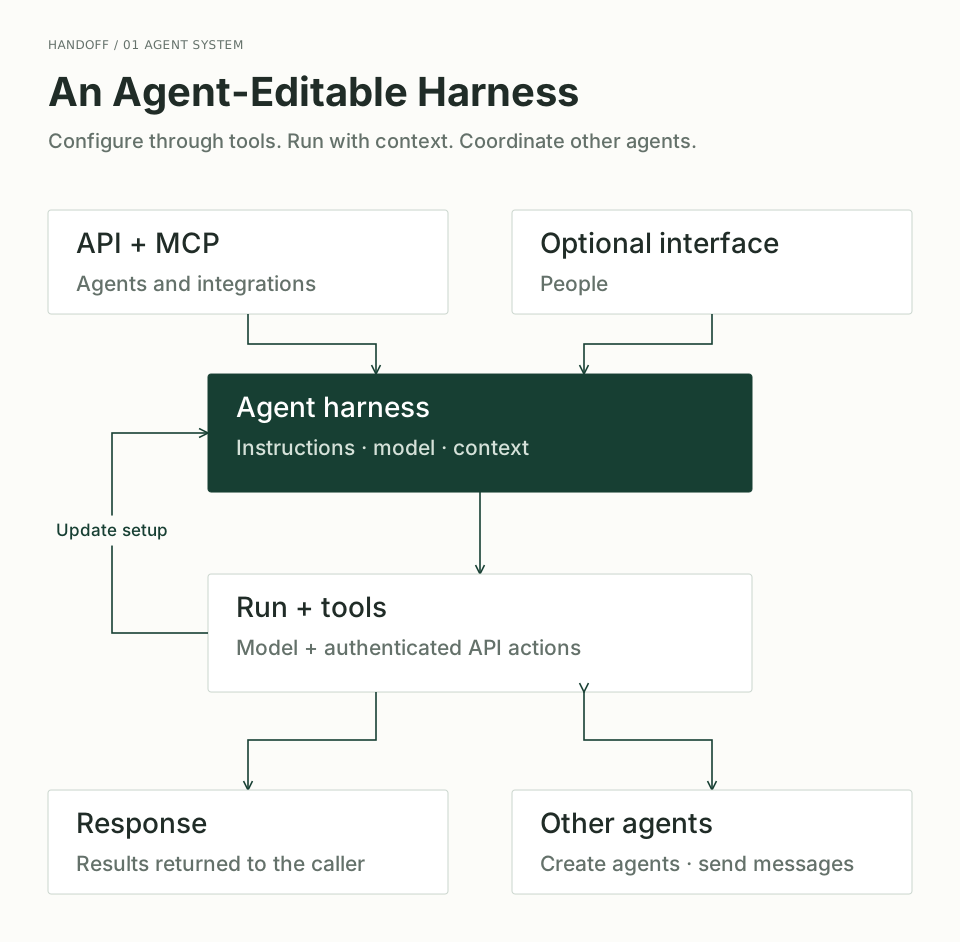
Agents can change their setup through tools, create other agents, and send messages to their sessions. Updated instructions and model choice apply to later turns.
Open runtime diagram at full size
Shared Context Beyond a Single Session
I built MCP integration around the application API so external AI tools, managed agents, and the web app work with the same items and relationships. Operations include creating and connecting information, searching, reading document content, and accessing history. The context system remains useful independently of Handoff's own conversation interface.
Requests carry authenticated caller context, with access checked at the API boundary. Graph mutations run through a per-space transaction coordinator and produce versioned records in PostgreSQL. Markdown versions and images live separately in object storage, linked from the graph by resource references. Scoped live updates carry changes to connected views, while history and restoration let users review and recover stored graph state.
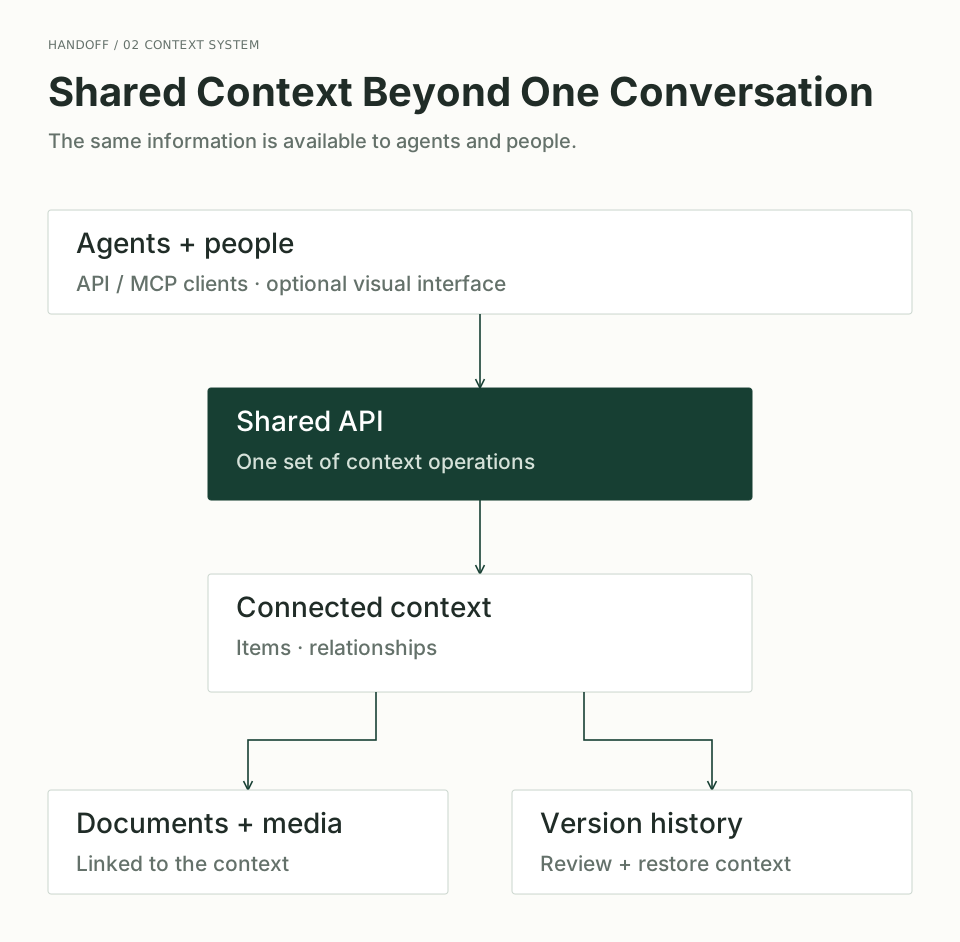
Agents and people work with the same connected information. Documents, media, and history remain available across conversations, with or without the web interface.
Open context diagram at full size
| Decision | Why it matters |
|---|---|
| Use one model of items and relationships across the tree, graph, and APIs | Visual editing and agent access operate on the same information. |
| Make agent configuration available through shared tools | Agents can change their instructions and setup without a separate manual editing workflow. |
| Start retrieval with a bounded overview, then request relevant details | Agents can navigate the workspace without loading every document into a model's context window at once. |
| Pair live updates with history and restoration | Users can follow agent activity, review the result, and recover earlier state. |
Technical Stack
I built the interface and services around a shared set of data and API contracts, so visual editing and agent actions can stay connected.
| Layer | Implementation and purpose |
|---|---|
| Web workspace | Next.js, React, and TypeScript for the application; Lexical for Markdown editing and Three.js with 3d-force-graph for spatial navigation. |
| Application API | Hono with Zod-validated OpenAPI routes and a generated TypeScript client. MCP exposes workspace operations to external AI tools through the API. |
| Context and history | PostgreSQL and Drizzle, accessed through Cloudflare Hyperdrive. Versioned items, relationships, and commits support graph history and restoration. |
| Documents and media | Cloudflare R2 stores images and immutable Markdown resource versions, with references linking content back to workspace items. |
| Agent execution | Cloudflare Workers and Durable Objects manage persistent sessions and turn coordination; AI SDK adapters connect the runtime to different model providers. |
| Live experience | Server-sent events stream agent responses, while WebSockets carry workspace changes back to connected clients. |
AI Engineering Behind the Experience
An agent needs useful context, dependable tools, and continuity between turns. I built those concerns into the runtime:
- Context assembled for the task. Active-session context takes priority over persistent attachments. A bounded graph overview gives the model a map of the workspace; tools retrieve item details when needed instead of loading every document upfront.
- History within a working budget. The model receives recent messages plus bounded excerpts of older conversation. A history-search tool can retrieve stored messages, keeping earlier work accessible without sending the entire transcript on every turn.
- Tools with explicit contracts. Shared tool definitions validate arguments before execution and call authenticated application APIs. This connects model actions to the same workspace operations and permission checks used elsewhere in the product.
- Sessions that survive interrupted views. I separated persisted conversation state from the live stream and serialized turns within a session. Recovery checkpoints are saved only when no tool call is in progress, and bounded stream replay lets a reconnecting client catch up with an active turn.
- Instructions loaded when relevant. Agents see a compact catalog of assigned skills and activate instructions on demand. The runtime pins the selected version for retries, making the instruction set reproducible without treating a skill as additional permission.
- Model choice behind one runtime. Provider adapters handle differences between model APIs while preserving the surrounding tool and session machinery. Stable instructions are separated from turn-specific context, with prompt-cache hints where the provider supports them.
The Challenge
Useful context accumulates in conversations, documents, and individual AI tools. Moving between them often means repeating instructions or copying information, with little visibility into what an agent actually knows.
Handoff makes that context accessible to agents through tools and to people through a visual workspace. Notes, decisions, and sources can be linked and maintained across sessions, while agent configuration can be inspected and changed through either interface.
Design principle: People should be able to inspect and change the context their agents use, then see what those agents change in return.
Making the System Understandable
I designed tree navigation, a visual graph, and an agent conversation as connected views of the same workspace. Each has a different job: the tree provides structure, the graph exposes relationships, and the conversation lets an agent work with that context.
The challenge was connecting those views without asking users to understand the implementation behind them. An item needed to remain the same piece of information whether someone opened it visually or an agent accessed it through an API.
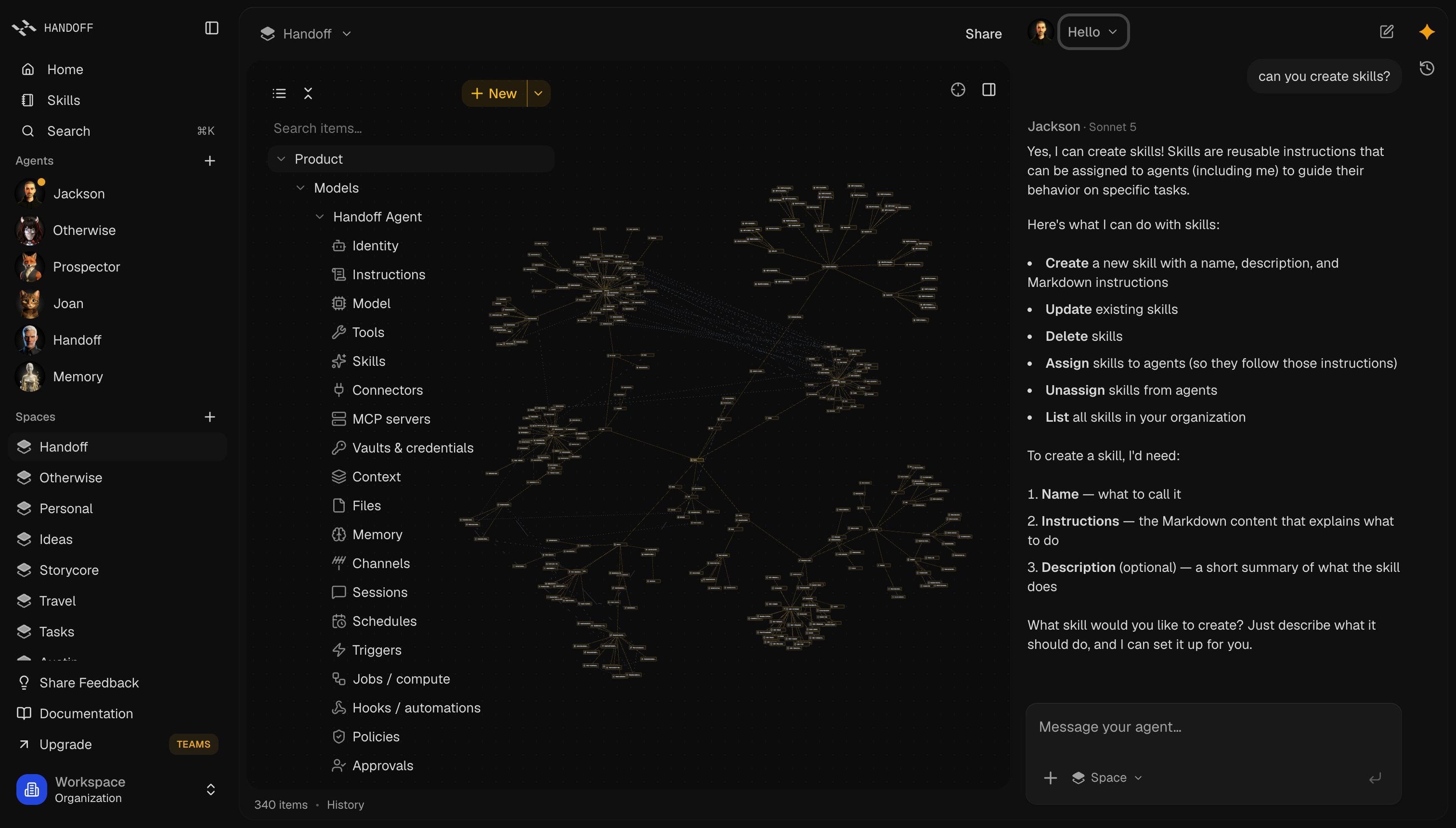
One workspace, three connected views: structured navigation, a visual context graph, and an agent working alongside it.
From Concept to Working Product
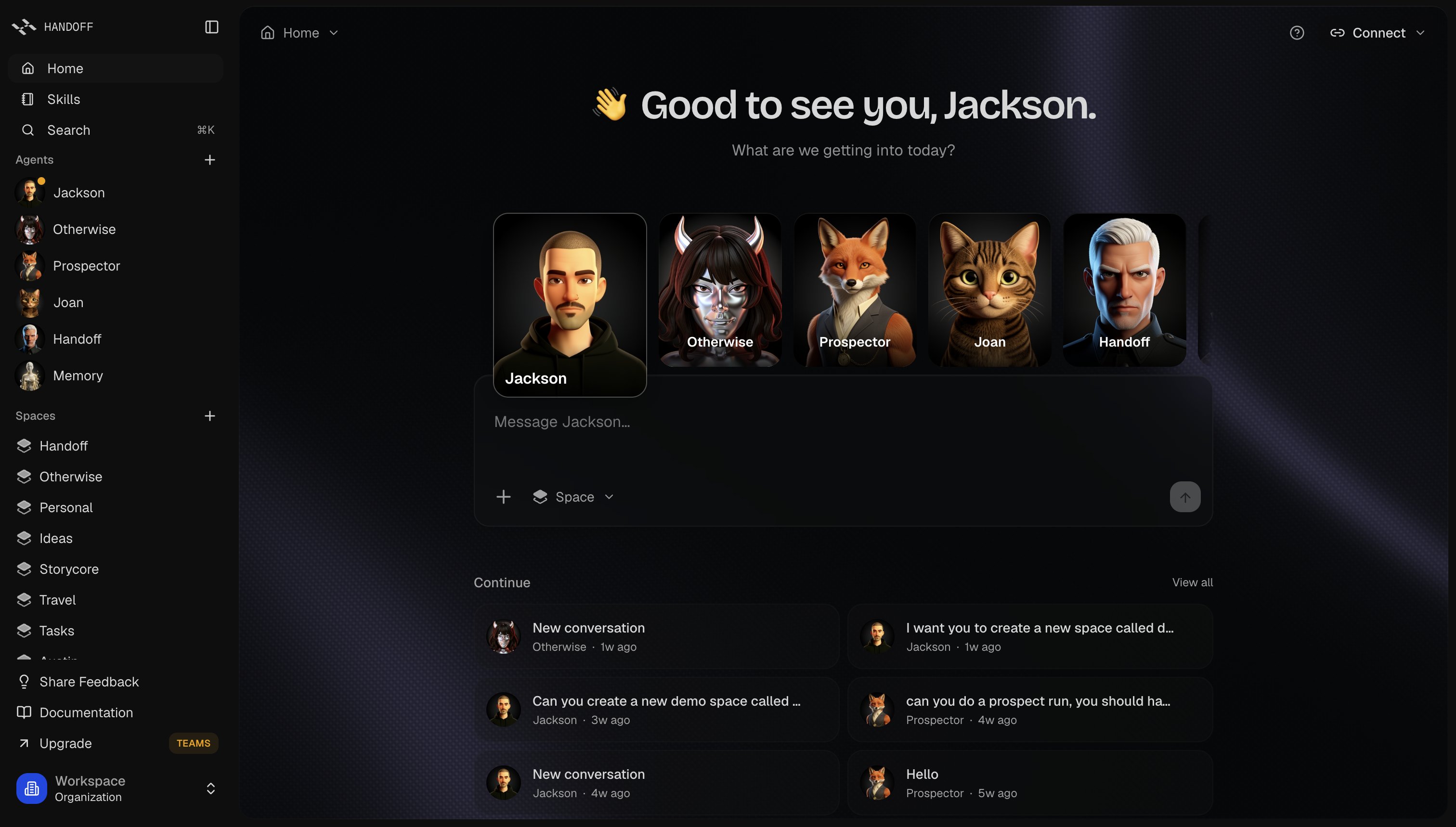
My work brought together product design, the context model, the agent runtime, and the APIs that make both available without the interface. The visual workspace gives people a way to organize context, inspect agent activity, and continue working with that information across sessions and tools.
The product presentation makes that architecture understandable before someone enters the workspace, connecting the visual identity and website to the idea of shared context.
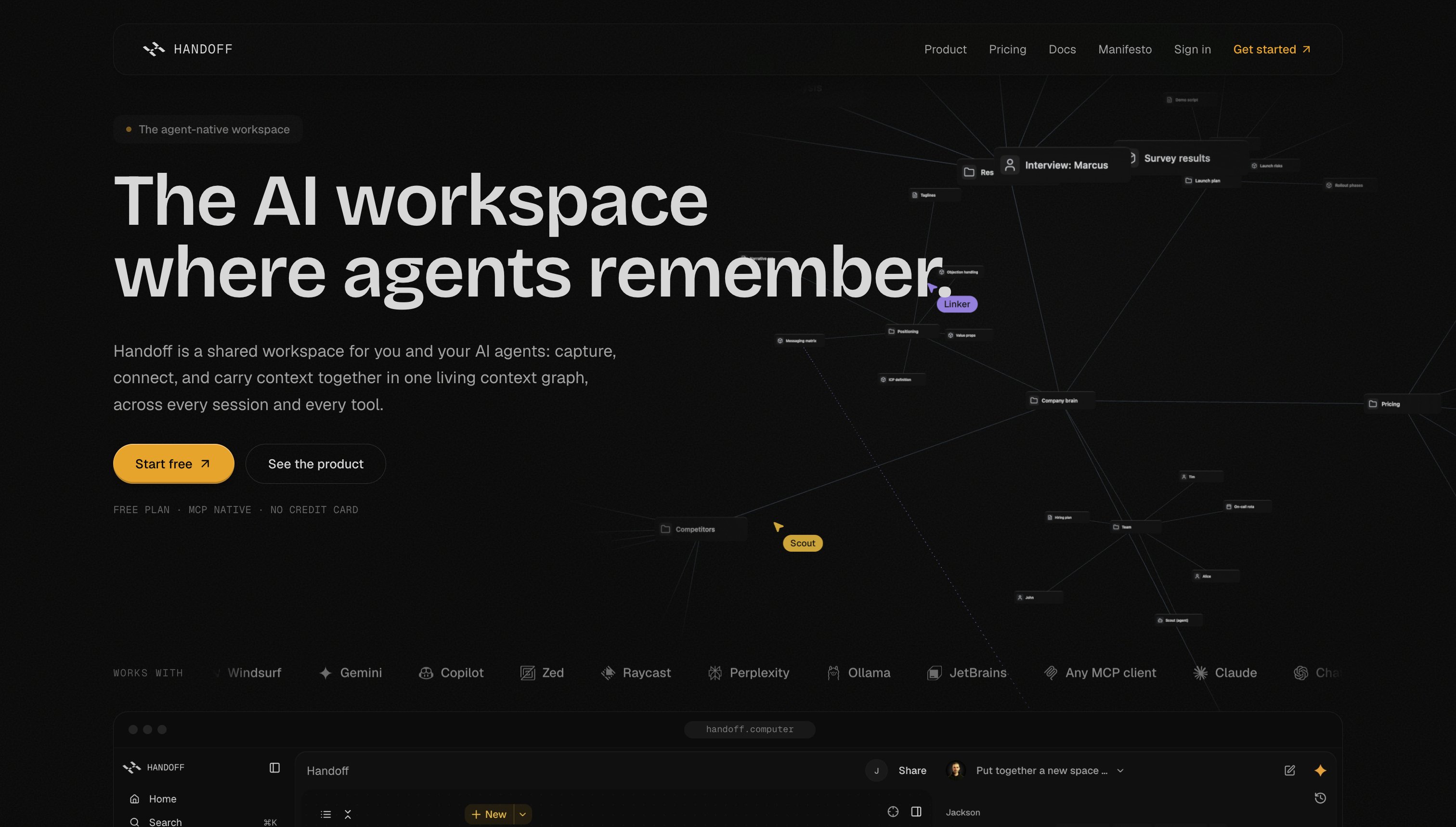
The product presentation connects the underlying architecture to a simple user promise: carry context between people, agents, and tools.
In Development: Textable Cloud Agents
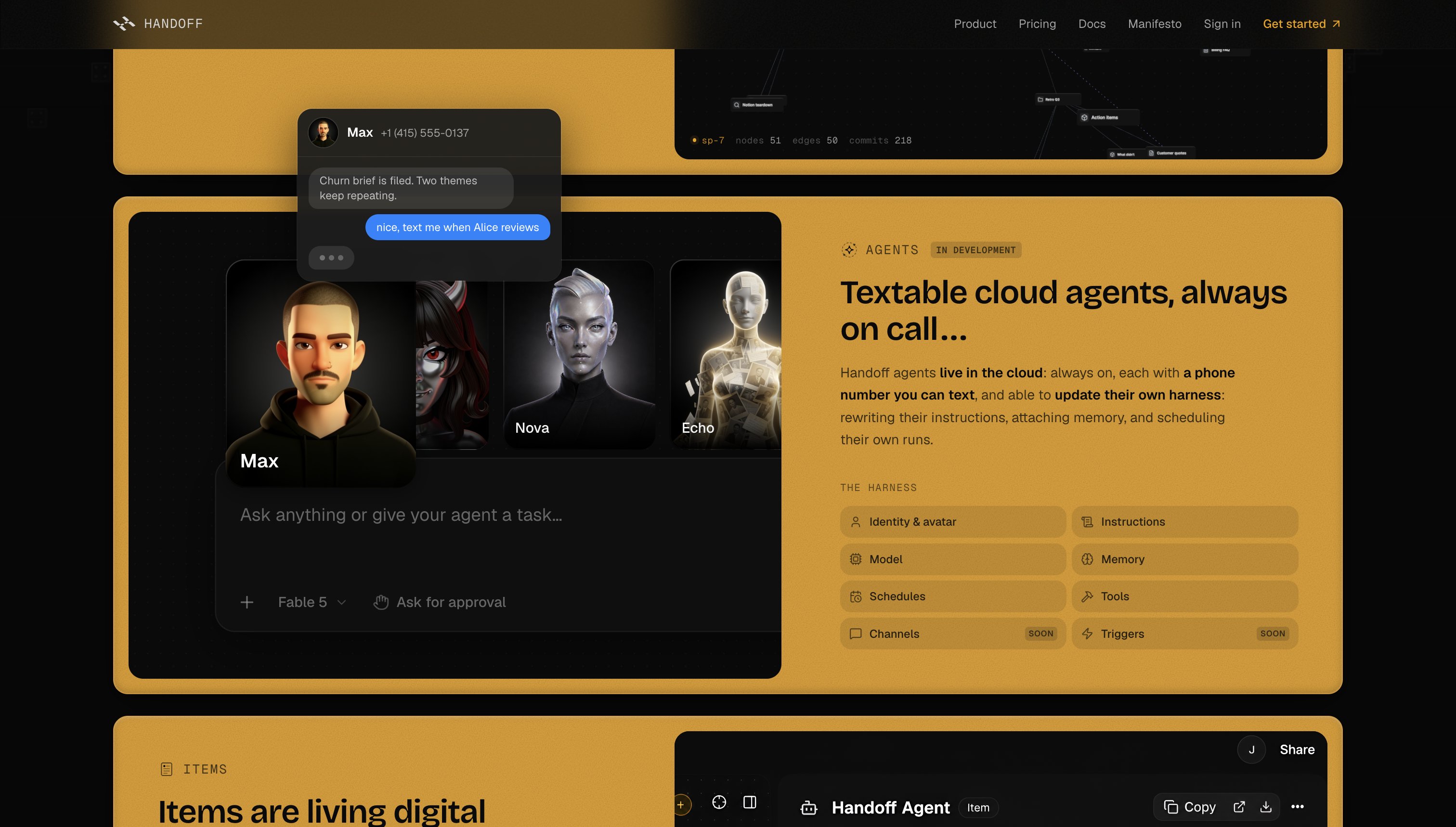
The next direction extends access to the configurable agent system through texting. The textable cloud-agent experience remains in development; the preview shows how conversations could continue beyond the workspace interface.
Concept for text-based access to configurable cloud agents. In development.